
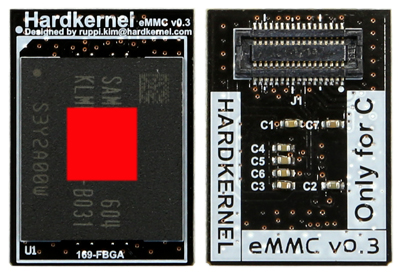
eMMC Module C2 Linux
Ürün Açıklaması
eMMCModule C2 LINUXforODROID-C2Pre-installed Ubuntu 16.04 or latest version.Ready to run out of the boxeMMC Version 5.0interface or higher version from Samsung.JEDEC/MMCA version 5.0 : HS400 interface with 8bit DDR mode.The eMMC chipset is only compatible with Amlogic S905 and S805 series(ODROID-C1+ / C0 / C2)This eMMC chipset is not compatible with ODROID-XU4 / XU3 / U3 / U2 / X seriesSchematics :http://dn.odroid.com/eMMCModule/eMMC Module Reader is includedYou need the above eMMC Module Reader to update the OS of the eMMC Module. Transcend USB multi-slot SD Card reader in the below picture isnotincluded.More about the eMMC Module :http://odroid.com/dokuwiki/doku.php?id=en:emmc_reference_chartStorage I/O comparisonThe C2 can boot from a MicroSD card or an eMMC module. The MicroSD interface supports the higher performance UHS-1 mode as well. File access of a 512MB file (read/write) on two different storage options shows distinct performance differences. The eMMC 5.0 storage is ~7x faster than the MicroSD Class-10 card in read tests. The MicroSD UHS-1 card is ~2x faster than the MicroSD Class-10 card in read tests. The MicroSD UHS-1 card provides a great low-cost option for many applications!To obtain the results in the storage I/O comparison graph, type the following lines at a command prompt.Write speed command :$ dd if=/dev/zero of=test.tmp oflag=direct bs=8M count=64Read speed command :$ dd if=test.tmp of=/dev/null iflag=direct bs=8M count=64ODROID-C2ODROID-C1Raspberry Pi2MicroSD UHS-1 Read(MB/s)36.732.519.2MicroSD UHS-1 Write(MB/s)15.514.213.2eMMC Read(MB/s)125.062.2NAeMMC Write(MB/s)124.025.2NAThis is wrong. You can find the eMMC Module connector just beside the microSD Card slot.